
Customize Reports
In this article:
- What are Customizable Reports?
- Branding and Report Titles
- Customize Report Details
- Sort Options
- Report Colors
- Save Changes
- Have Questions?
What are Customizable Reports?
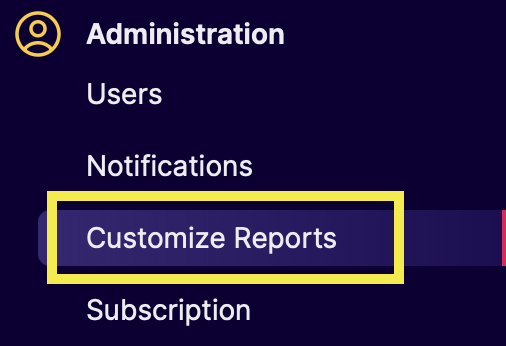
Roboro offers customizable reporting features to enable you to share key legislative updates and bill progress in a format that works for you and your clients.
Customize Reports is where you can manage and personalize your reports to reflect your reporting preferences and your organization's branding.
Branding and Report Titles
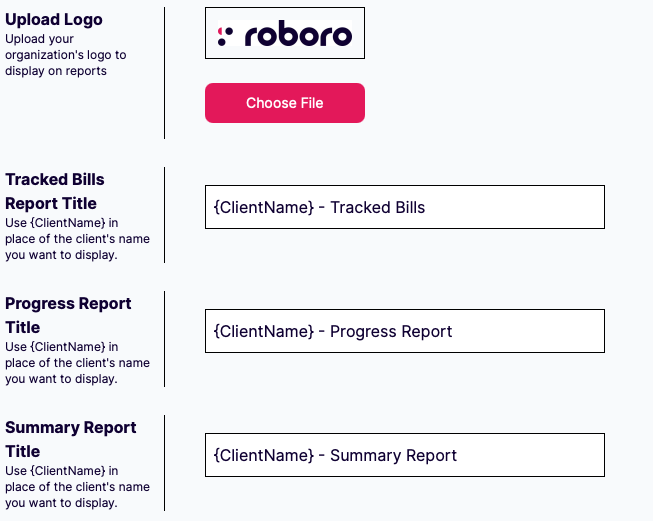
- Upload your organization's logo to display on reports for a branded, professional look.
- Note: Logo must be in JPEG format.
- The titles of reports can be changed to match your desired outcomes.
Tip: You can use the placeholder {ClientName} to automatically insert each client's name into the title.
Customize Report Details

You have the option to select which elements appear in your client reports:
- Summary: Show the Standard Roboro Summary, Short Roboro Summary, or No Summary
- AI Disclaimer: Show or hide a customizable disclaimer statement for AI-generated content
- Sponsors: Choose to display only Primary Sponsors or All Sponsors
- Sponsor Counties: Choose to show a sponsor's districts or their counties
- Notes: Show or hide the Notes for bills
- Impact Labels: Show or hide impact labels
- Impacted Clients / Issues: Show or hide which Clients / Issues are impacted by each bill
Sort Options
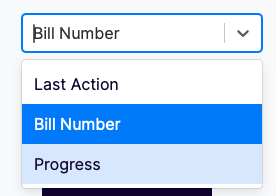
Select the primary sort order for bills displayed on reports. You can sort by Bill Number, Progress, or Last Action.
Report Colors
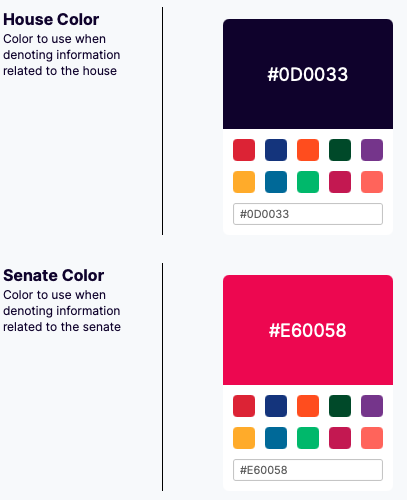
You can customize the colors used to denote information related to the House / Senate in your reports. Select from the preset options or enter a HEX color code to match your brand colors.
Save Changes

After you finishing customizing your settings, be sure to click "Save Changes" to apply them. These changes will be applied to all users in the account.
Have Questions?
- Email support@roboro.ai if you have any questions.
- We are excited for you to use the platform and welcome any and all suggestions!